ChefGato
An app that can be your reliable assistant in the kitchen
Overview
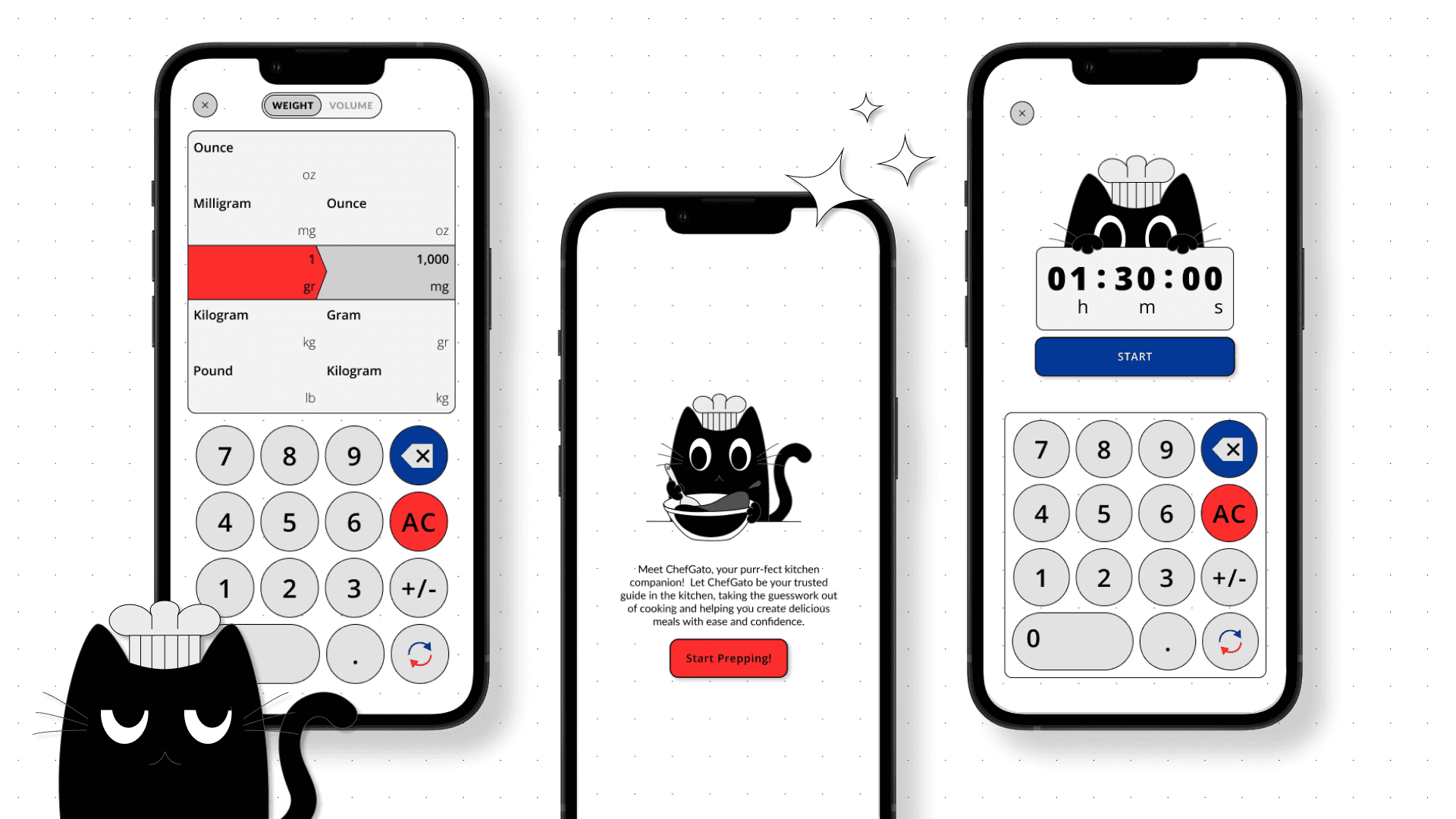
Meet ChefGato, your ultimate kitchen sidekick! This app takes the guesswork out of cooking by effortlessly converting ingredient measurements, so you can focus on creating delicious meals without the hassle of math. Whether you're scaling up a family recipe or experimenting with new dishes, ChefGato ensures you get the proportions just right every time with a timer feature, so you don’t need to watch the clock while timing your cooking. Say goodbye to kitchen confusion and hello to culinary confidence with ChefGato by your side!
Background
ChefGato was born out of a personal challenge during my two-month deep dive into UI and UX design. While struggling with ingredient measurements during a lunch break, a thought struck me—why not create a tool to help others like me? As a newbie both in the kitchen and in design, I wanted to build an app that simplifies cooking for amateur chefs. ChefGato is the result of that idea, crafted to make recipe conversions a breeze and to support fellow cooking enthusiasts on their culinary adventures.
The Challenges
Building an app from scratch with limited resources and knowledge was both a challenge and a creative adventure. With just an idea and the drive to test my limits as a designer, I embarked on the journey of creating ChefGato. This project pushed me to explore and innovate, and it was an exciting way to stretch my skills and see how far I could go in the field of design and functionality.
The Goals
My aim is to design an app that’s user-friendly for all ages, requiring minimal effort to navigate and getting the right measurement. On a personal level, I’m focused on mastering the skills of conducting and analysing user research, wireframes, sketching designs from my ideas, and crafting everything in Figma. Completing my first design project from start to finish while staying true to my design principles is also a key goal.
Research
My initial judgement on the challenges and difficulties faced by home cooks were limited, based merely on my personal experiences and assumptions. Therefore, to gain a deeper understanding and to ensure the app truly addresses user needs, I conducted a user research. Through this, I was able to gather valuable insights, which were then used to develop accurate user personas that represent the different types of users ChefGato aims to serve.
problems
Many home cooks, particularly beginners, face challenges when converting measurements with different systems, such as from metric to imperial and vice versa. This confusion can lead to inaccurate ingredient amounts, which ultimately affects the final outcome. The issue is further compounded when recipes call for specific tools like cups, spoons, or scales, and users struggle to convert them to specific quantities.
For health-conscious cooks, the need for precision is even greater. Accurate measurements are critical for maintaining dietary goals, whether for meal prep or tracking nutrition. Any discrepancies in measurement can hamper portion control, calorie intake, or nutrient balance, leading to a disrupted healthy eating plan.
user personas
Amateur cook Alan
25-year-old digital marketer who is a beginner in cooking and wants to learn cooking from scratch but finds it confusing to deal with different measurements in recipes.
Tech Comfort Level : High
Goals : Follow simple, easy-to-understand recipes with clear instructions.
Frustrations : Difficulty understanding ingredient measurements and gets confused between metric and imperial units.
Needs : A simple, easy-to-use app that helps convert measurements without complicated steps.
Meal Prep Enthusiast Cassie
Holly is a fitness trainer who is very conscious of her health and needs precise measurements to maintain a balanced and healthy diet for her meal prep.
Tech Comfort Level : High
Goals : Follow recipes that require exact measurements for nutrients and macros to ensure meal portions are accurate.
Frustrations : Difficulty finding precise measurement conversion tools and using multiple apps or tools to handle meal prep efficiently.
Needs : A reliable app that helps with exact measurements for both weight and volume, aiding in meal prep accuracy.
Home cook Beth
A mother of two, who is quite experienced in cooking due to her love for trying new recipes.
Tech Comfort Level : Medium
Goals : Get accurate conversions instantly so she can follow recipes with different systems from other countries.
Frustrations : Confusion with inconsistent recipe measurements (metric vs imperial).
Needs: An app that’s fast, efficient, and provides accurate conversions with minimal input.
Traveller Danny
A photographer who likes travelling and enjoys cooking but uses a mix of tools (cups, scales, spoons) and needs help converting them.
Tech Comfort Level : High
Goals : Experiment recipes found while travelling and ensure accurate conversions so that recipes turn out correctly.
Frustrations : Switching between various tools (e.g., converting from cups to grams) and confusion over different measurements for the same ingredients.
Needs : A flexible app that makes it easy to convert between different types of measuring tools and units.
research insights & design choices
During the design phase, I wanted to make ChefGato more than just a functional app. I aimed to give it a relatable and comforting presence while also considering the emotional and aesthetic appeal of the app. In order to make the app engaging,and at the same time giving it an upbeat touch. I decided to include a cat as a cooking companion. The choice of a cat was inspired by its association with calmness and domestic life, symbolising the feeling of comfort users should experience while cooking. As a cat lover with cats of my own, I felt a natural connection to the idea of using a cat as a cooking companion as they are often seen as independent yet they also represent comfort and warmth, much like how I envision ChefGato assisting users in the kitchen.
This decision was reinforced by research indicating that adding an element of personality (in this case, a cat) to an app can enhance user engagement, making the experience more personal and relatable. By adding a cat, I hope to infuse the app with a sense of familiarity and joy, making the cooking experience feel more enjoyable and less stressful. This personal choice aligns with my belief that a light-hearted, friendly element can create a stronger bond between users and the app.
Wireframes
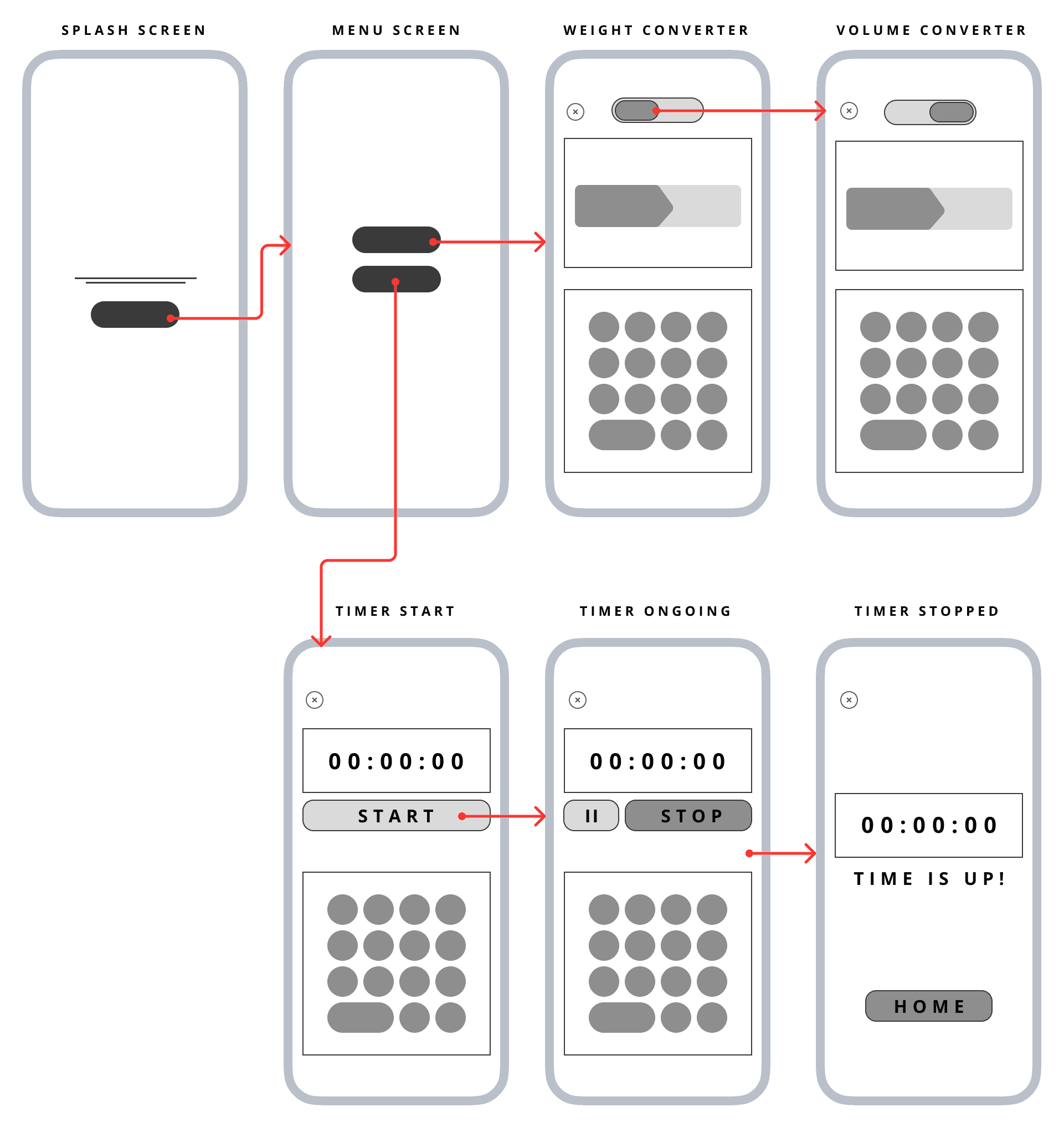
Using Figma, I developed mid-fidelity wireframes with a 4-column grid to organise the components on each screen effectively. This grid structure helped create a clean, balanced layout, ensuring the design is intuitive and easy for users to navigate. Each element was crafted with user-friendliness in mind, streamlining the experience while maintaining a clear visual hierarchy.
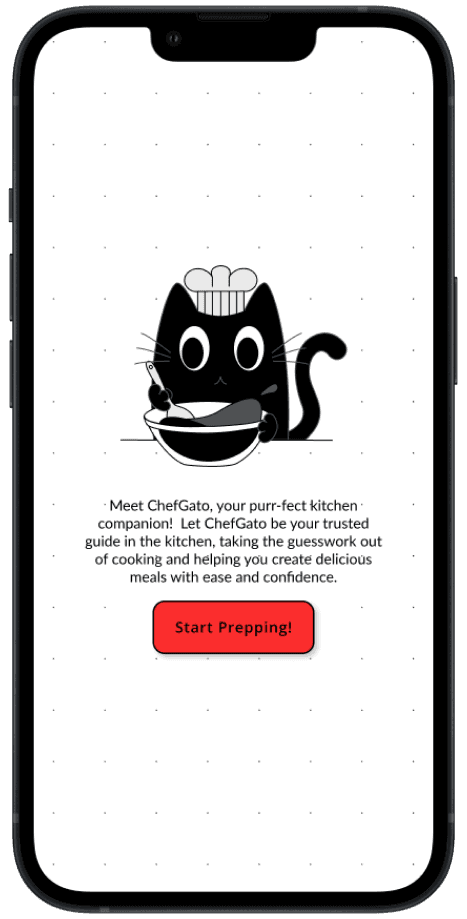
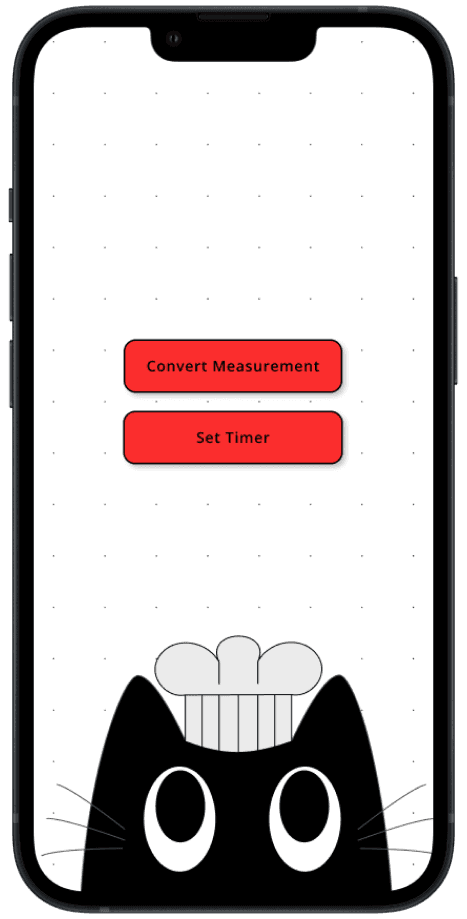
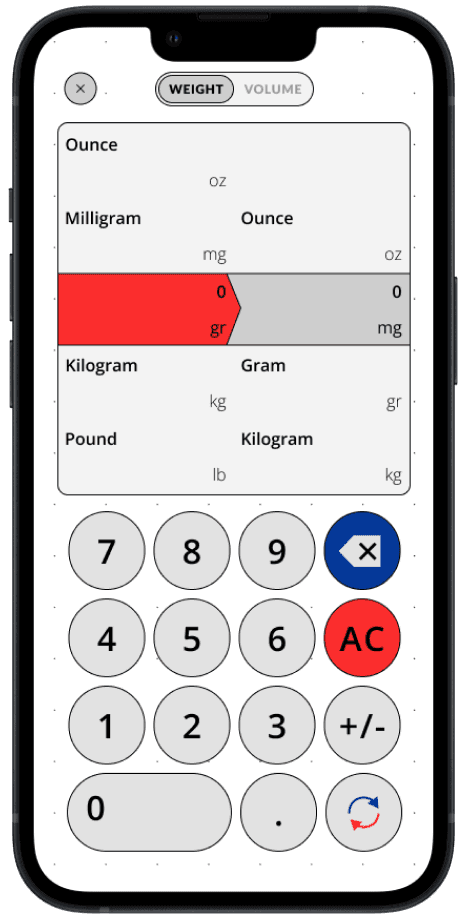
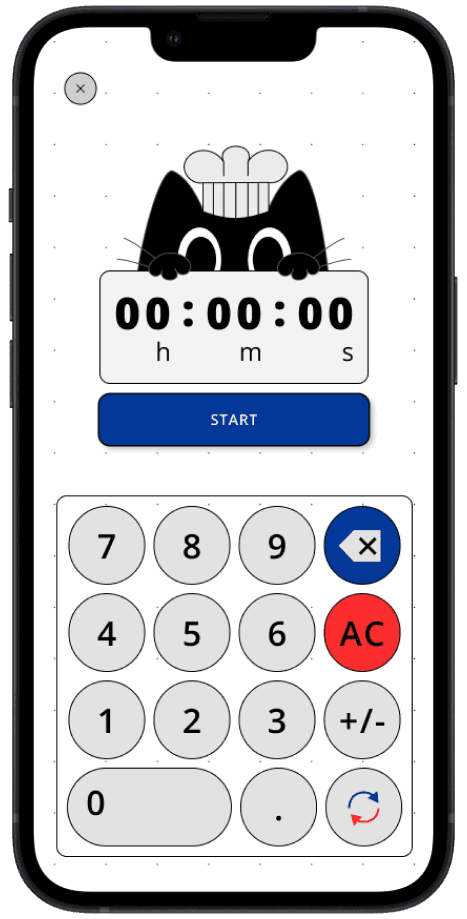
Upon opening the app, users are greeted with a splash screen that introduces them to ChefGato. From there, they are led to a simple menu offering two main features: the conversion tool and the timer. The conversion screen allows users to easily switch between weight and volume measurements, while the timer feature is straightforward, enabling users to set a time and start or stop the timer with minimal effort.
Prototype
To bring the wireframes to life and better visualise how users would interact with ChefGato, I created a high-fidelity prototype using Figma. The prototype focused on key interactions, allowing users to seamlessly navigate from the splash screen to the menu, and between the conversion and timer features. I used basic transitions to simulate a fluid user experience, ensuring that the flow from screen to screen was intuitive and required minimal effort.
The prototype allowed me to test the user flow and ensure that users could quickly switch between weight and volume conversions, and easily set timers without confusion. While no formal user testing was conducted, the prototype provided valuable insights into potential improvements in navigation and button placement.

feature #1
As the core feature of the app, I designed the ingredient measurement converter to be simple and intuitive. Users can easily toggle between weight and volume using a button at the top of the screen. They can then input the desired amount and instantly convert between the two measurement units with minimal effort, making the cooking process more efficient.

feature #2
Since timing is crucial when cooking, I also designed a built-in timer to help users manage their cooking with ease. Users can quickly set the desired duration and start or stop the timer with just a tap. The feature also includes pause and resume buttons, making it convenient for users to control their timing effortlessly.
Future Testings & Improvements
Although user testing has not yet been conducted due to the simplicity of the app, future iterations will focus on gathering feedback from real users. This will help identify potential pain points and areas for improvement, particularly around ease of use and feature expansion. Based on feedback, enhancements such as additional conversion options or more interactive timer features could be explored to further improve the app’s functionality. This also includes possible additional features and visual design improvements.
Reflections
Going into this project, I saw it as the perfect opportunity to test my design skills. After years of honing my skills in programming and system development, I decided to shift my focus to product design. I realised the best way to learn was to dive straight into a project and learn by doing. As a result, I challenged myself to design an app, despite my limited knowledge in design, as a way to push my boundaries and grow in this new field.
looking back
Over the past three months since I started pursuing my passion in design, I gained the foundational skills needed to bring this project to life, along with many others. One of the most rewarding aspects of the learning and creating process is the opportunity to push your own limits. You discover how to make things work and explore different ways to achieve the results you aim for. You find ways to do things faster, better, and more efficiently. And often, you end up learning unexpected things while trying to master the skills you originally set out to acquire.
looking forward
ChefGato is my first app where I had the chance to test my designing skills and explore the world of UI/UX design. It was a completely new experience for me, and through this project, I’ve been able to experiment, learn, and grow as a designer. While it’s only the beginning of my journey in design, this project has sparked a deeper interest in product design and I’m excited to continue learning and improving with each new challenge.